The project is late, and you found out late
Phases live on paper, dates live in the engineer's head, and a delay only shows up when the client calls to ask. A week is gone before you know.
Briker puts your phases, materials, subcontractors and money in one place — so you know where every project stands, what you need to buy next week, and how much each client still owes you.
Phases live on paper, dates live in the engineer's head, and a delay only shows up when the client calls to ask. A week is gone before you know.
The steel ran out on pour day and the cement arrived two days late. Crews stand there waiting, and you pay for it.
Payments are in WhatsApp, expenses are in a notebook, and profit is a guess at the end of the month. One wrong number costs you a whole project.
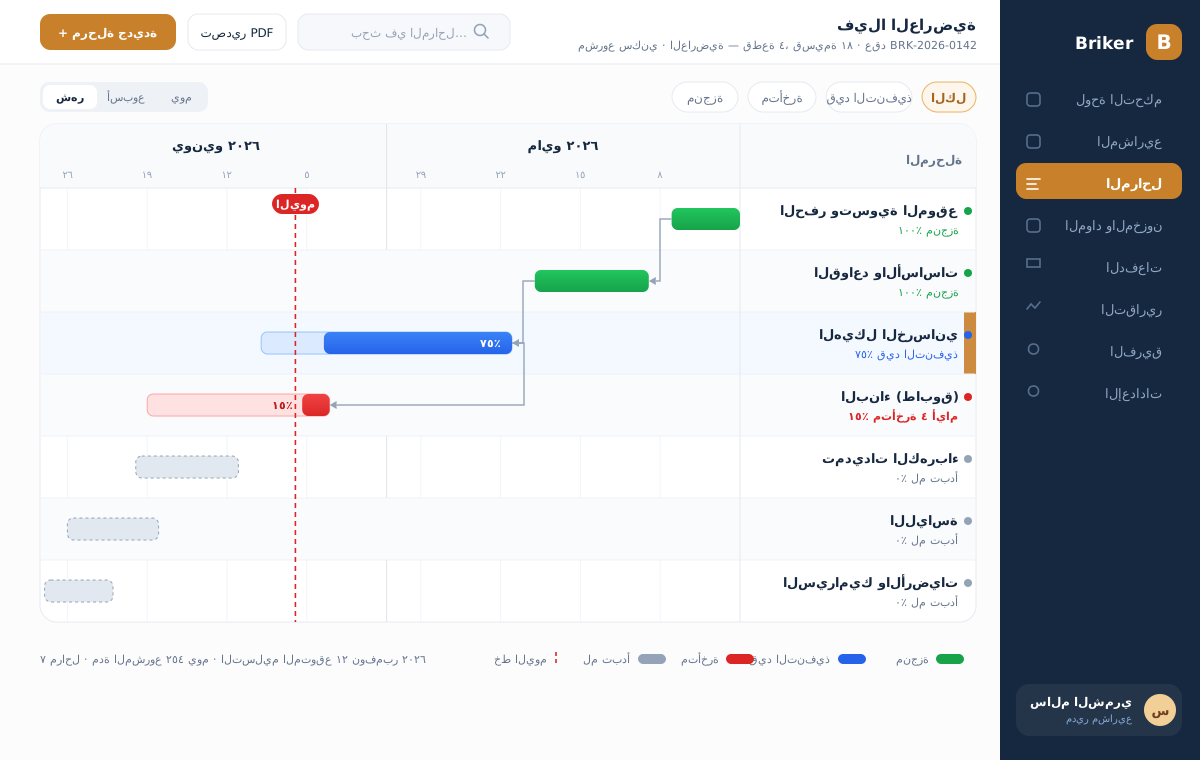
Split a project into phases with a start, an end and dependencies. A phase that slips turns red, and anything waiting on it warns you before it stalls.
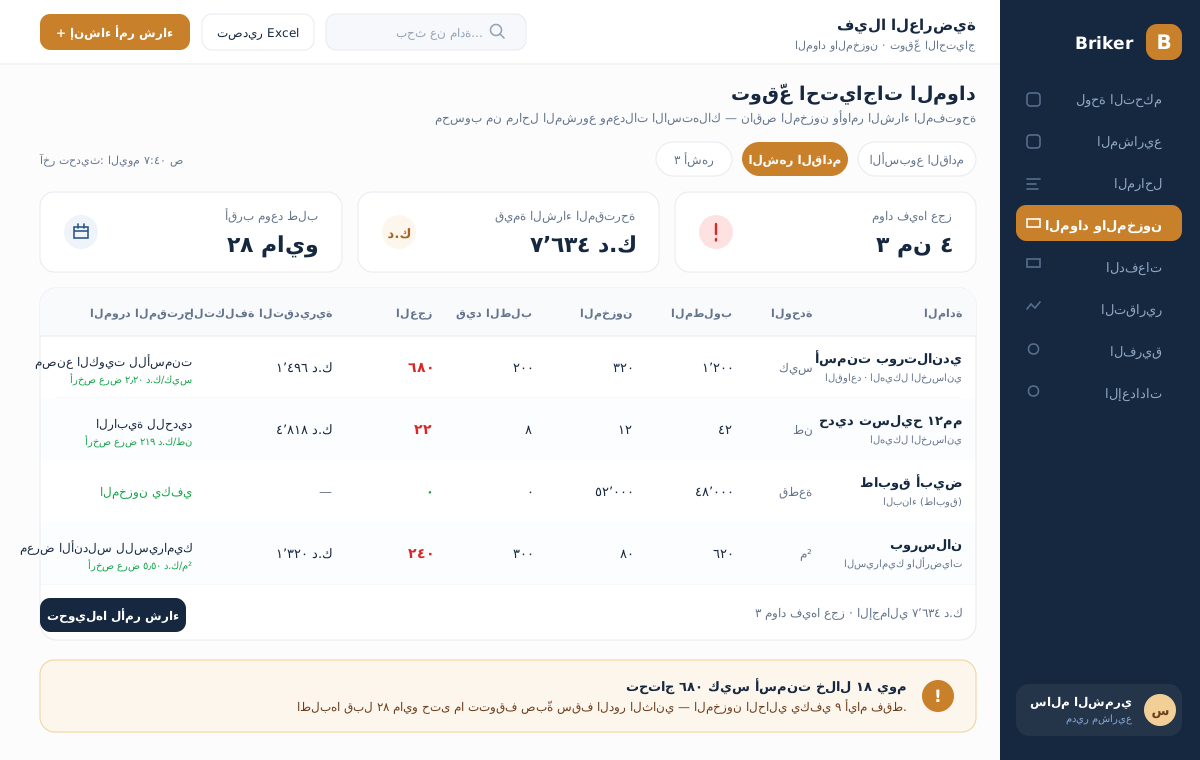
Timeline + dependencies + today lineEvery phase is tied to its materials. Pick "next month" and you get what the work needs, minus your stock, minus what is already on order — the exact shortfall, and a purchase order from it.
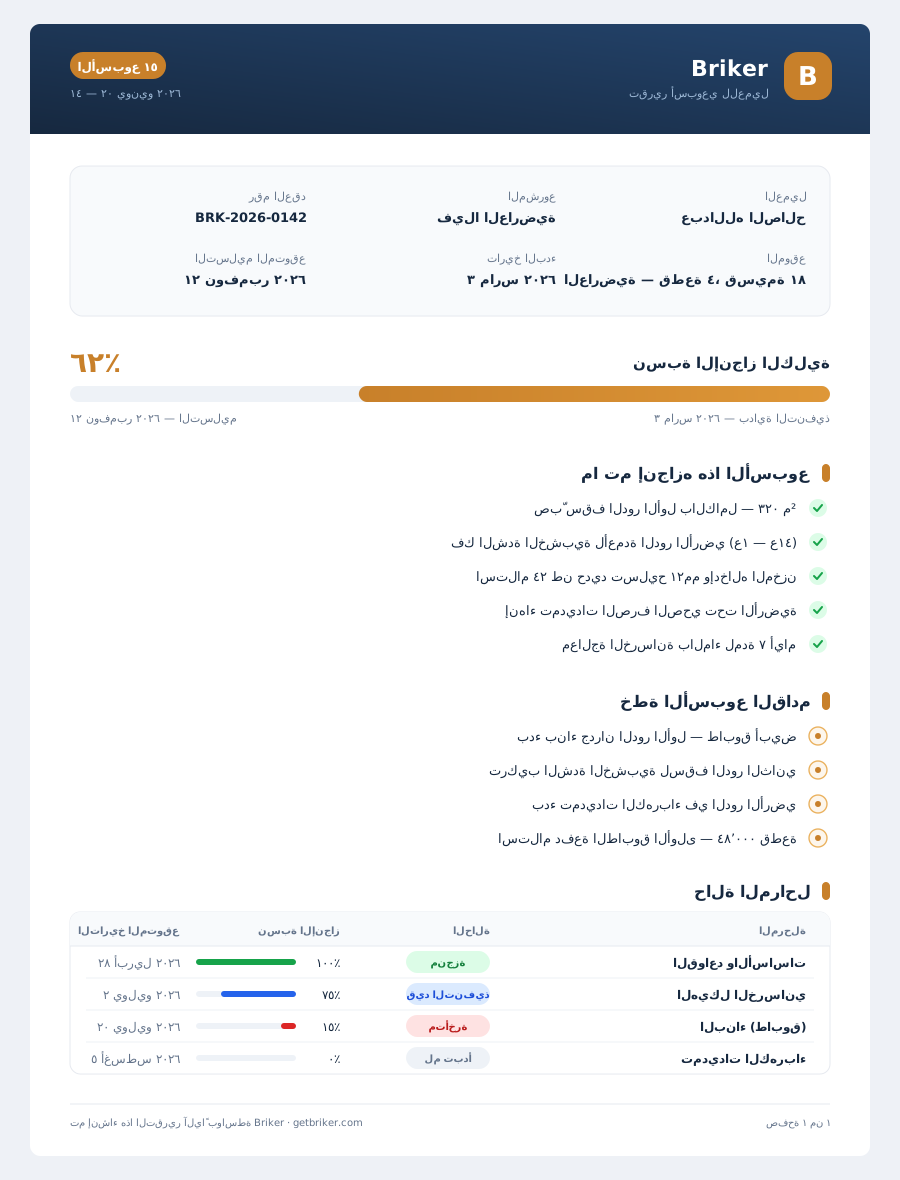
Material forecast + stock + cheapest supplierEvery week a PDF comes out with what we finished and what we'll finish next week — carrying your logo and your client's name. Send it and you're done.
Weekly PDF report in your brandingReal screens from Briker — nothing staged.
Bars colored by status, arrows tying each phase to what depends on it, and a red line for today. Click any phase to open its detail and its resources.
Pick the window — a week, a month, 3 months — and it works out what each material needs, minus your stock, minus what is already on order. What is left is the shortfall.
Your client's name, their project detail, percent complete, and next week's plan — in your logo and your colors, PDF in one click.
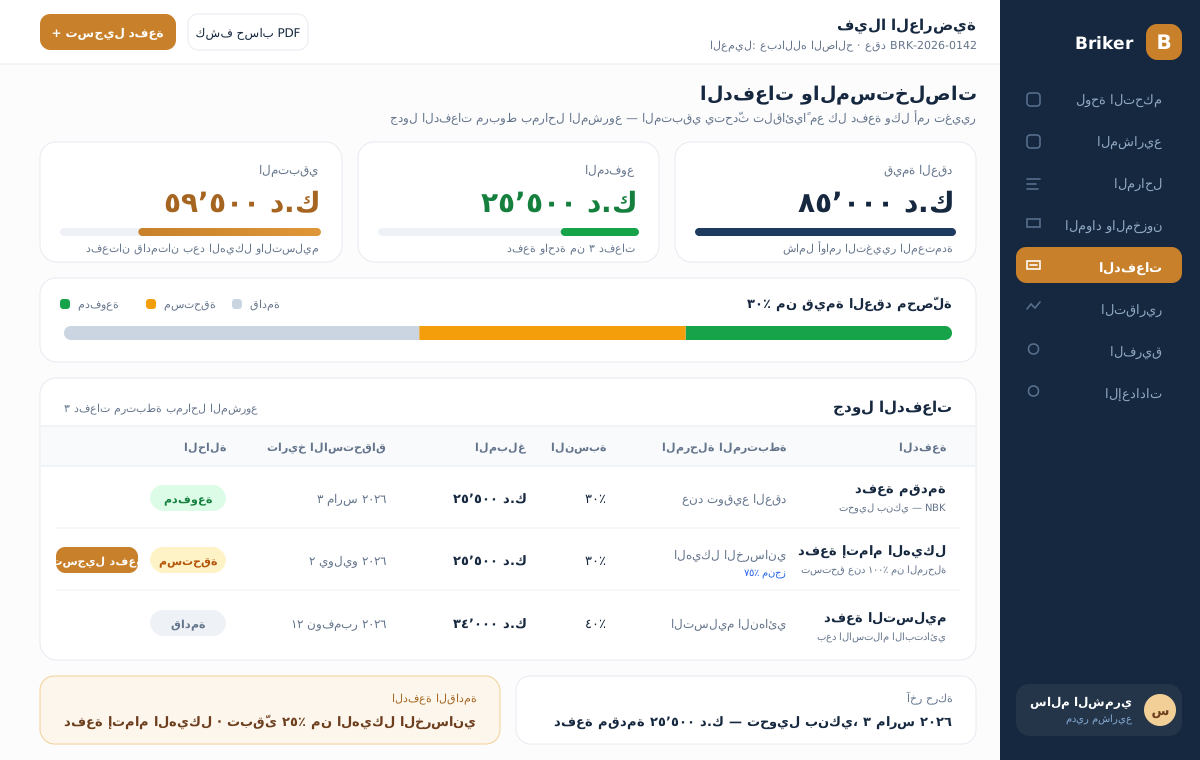
A payment schedule tied to the project phases, with the balance updating on its own after every payment and every change order.
You see the real profit on each project, which project is late, and how much of your money sits with clients — without asking anyone.
Schedule the phases, assign the subcontractors, and send the weekly client report in two minutes.
Update percent complete and upload site photos from your phone — and never see a single financial number.
Payments, expenses and the cost of every phase, with estimated against actual and statements ready to go.
Financial data is isolated at the database level — a site engineer cannot reach it, even if they try.
Every plan includes the whole system — the difference is how many projects and users.
For small firms and independent contractors
For mid-sized firms running several crews
For large groups and government projects
We set the system up with your data and your domain — and you try it before you commit.
A practical PDF built on real execution phases: exactly where the time goes, and what to do in each case. It reaches your inbox right away.
We show you the system on a project that looks like yours, answer your questions, and set up a trial account for you.
Your data is yours. Export it to Excel or CSV at any time, and we can install the system on a server of your own if you want.
Excel won't tell you a phase slipped, won't work out your material shortfall, and won't send your client a report. And the big one: it won't stop your site engineer from seeing your profit.
The system is fully Arabic and built for contracting work. A site engineer needs one screen: update the percentage, upload a photo. And there is an illustrated user guide, 22 chapters.
Yes. The site screens are built mobile-first — update progress, upload photos, and issue materials straight from site.
You start with one project. We build its phases from a ready template (villa or fit-out), you adjust it, and we help you enter that first project with you.
You decide. There are six roles, and financial data sits in separate tables — a site engineer never reaches it, not on the screen and not in the database.
We set up the account and enter the first project with you. See the difference yourself before you decide.
No commitment — and your data leaves with you whenever you want.